Getting started
Chimney Run comes from the Microsoft Store: install it there, and start it from the Start menu. The Store's free trial lets you try it before you buy; its Store page says what the trial includes. Buying it in the Store unlocks the whole game, with no key to enter.
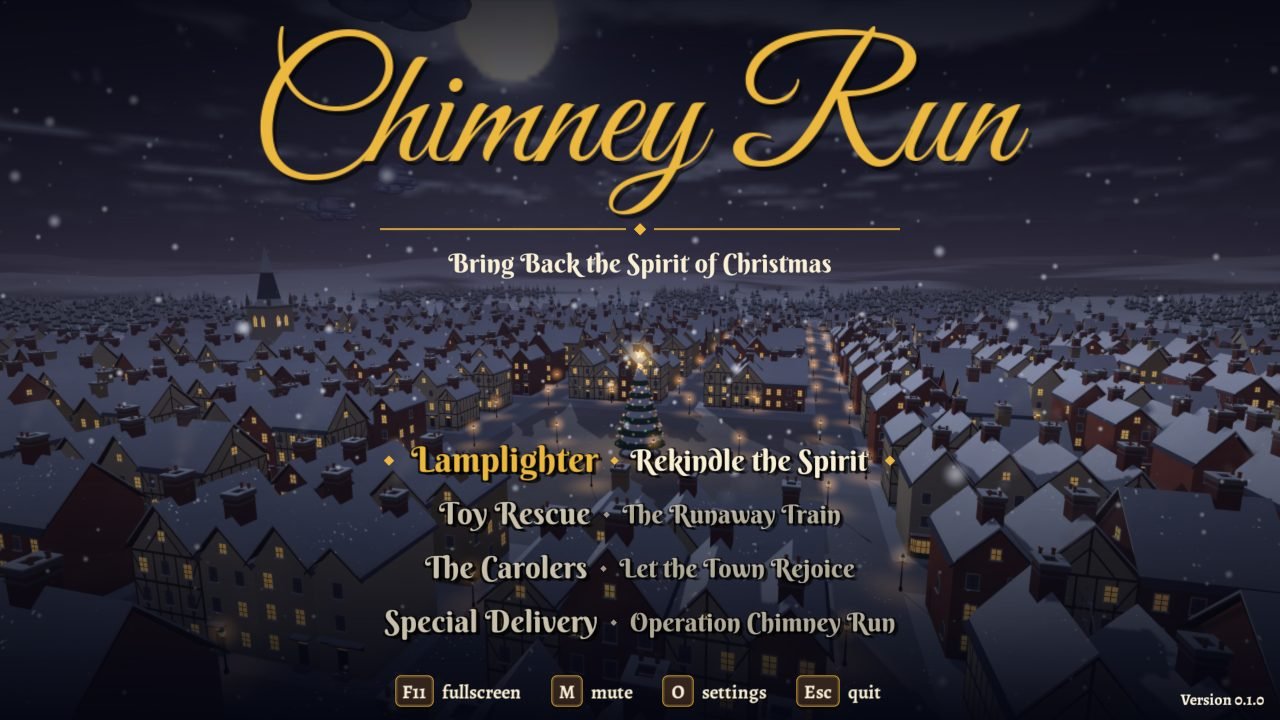
The four chapters tell one story, and are best played in order. Each opens with a short scene (press Enter or click to skip it), then its name, and then you're flying. However a chapter ends, at dawn or with your lantern out, what you've done is kept: there's no losing, only more or less Christmas spirit. The spirit you raise in each chapter sets how bright your lantern is in the next ones; a chapter you haven't played yet counts as half.
How to play
Every chapter's screen is laid out the same way:
- Top left: your score, and a count of the chapter's own (lamps lit, toys caught, notes, gifts left).
- Top middle: the Christmas spirit, shown by the chapter's own figures filling with light, and what to do next.
- Top right: what's against you: the church clock running toward dawn, the broken bridge, or the end of the carol.
- Bottom middle: your lantern. Mistakes and ice dim it; doing well builds it up. If it goes out, the chapter ends there. Beside it, your run of successes; a long one brings Merry and Bright!, a few seconds of extra speed and reach.
- Bottom left: Wick, with a reminder of the key that matters.
The sleigh never stops, and hops over rooftops by itself: you steer, speed up and slow down. Gold arrows and diamonds point the way. At the end, you get up to three stars for the spirit you raised.
Lamplighter: Rekindle the Spirit
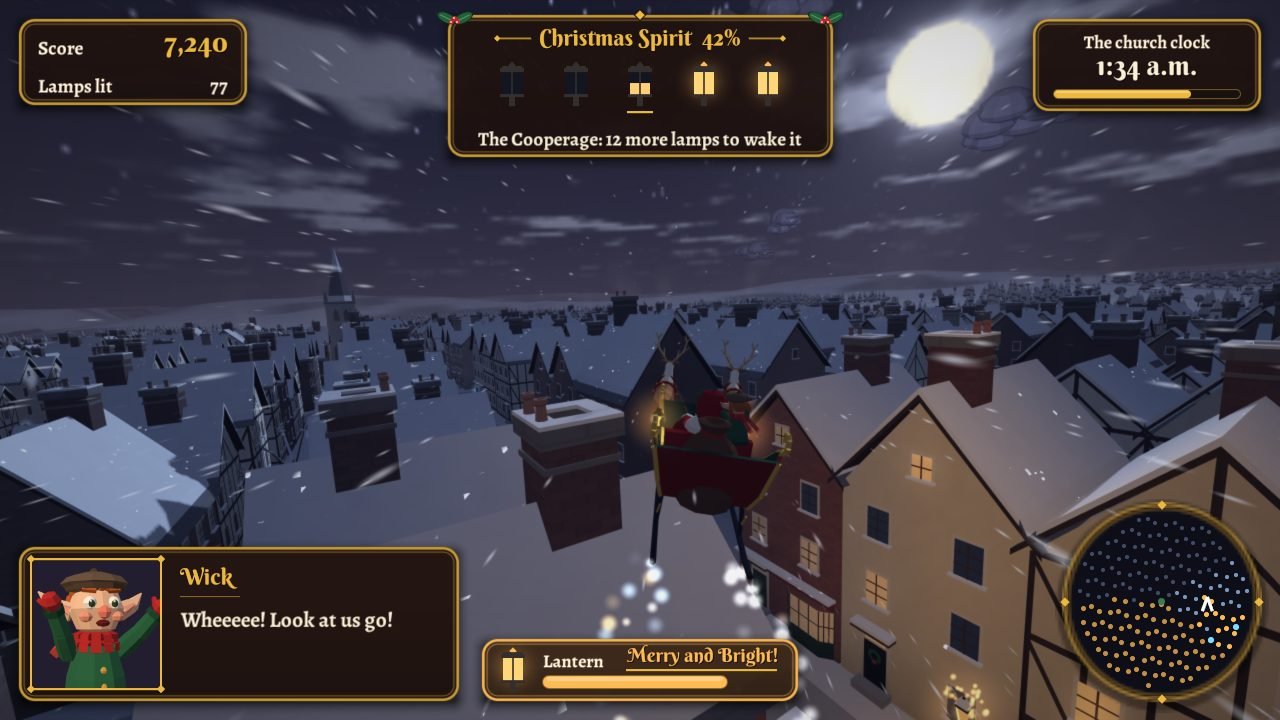
Jack Frost has put out every light in the town. Fly close by a dark street lamp and it lights itself; there's nothing to press. Light them one after another to keep a chain going: every ten in a row is Merry and Bright!
- The town has five quarters, the five lanterns at the top. Light most of a quarter's lamps and the whole of it wakes, safe for good. The map at the bottom right shows every lamp and imp.
- Frost imps put lamps out again, and spitters throw ice at you. Throw a star with F or a left click: it seeks the imp in the gold ring. Flying into an imp works too.
- With all five quarters awake, fly to the great tree in the market square to light it. Dawn comes at six on the church clock.
Toy Rescue: The Runaway Train
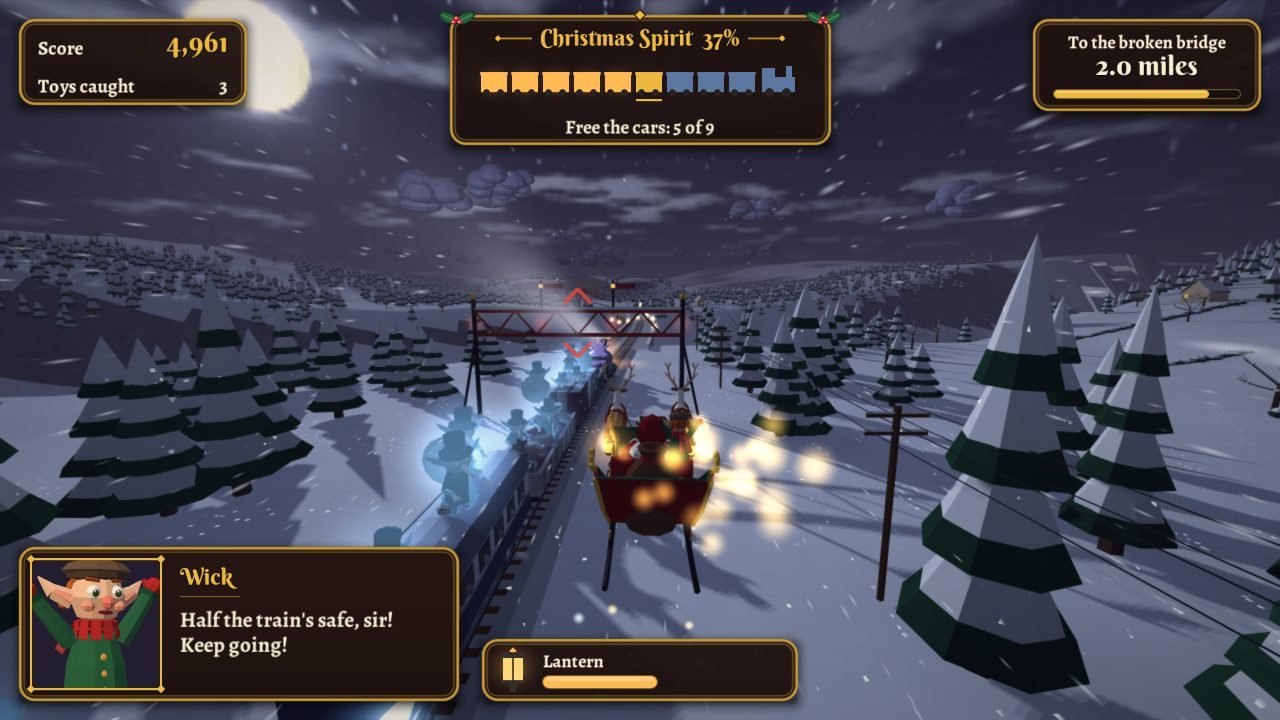
Imps have run off with the toy train, and the bridge ahead is down. Free the cars one at a time, from the back: throw stars to knock the imps off the car underlined at the top. A freed car warms up and is cut loose.
- An imp with a shield has to be hit from beside the car or ahead of it.
- Toys thrown overboard are marked with gold diamonds: fly through them to catch them.
- Duck under the signal gantries with Shift, or leap them with Space.
- With all nine cars free, knock the driver out of the cab, and she stops short of the bridge.
The Carolers: Let the Town Rejoice
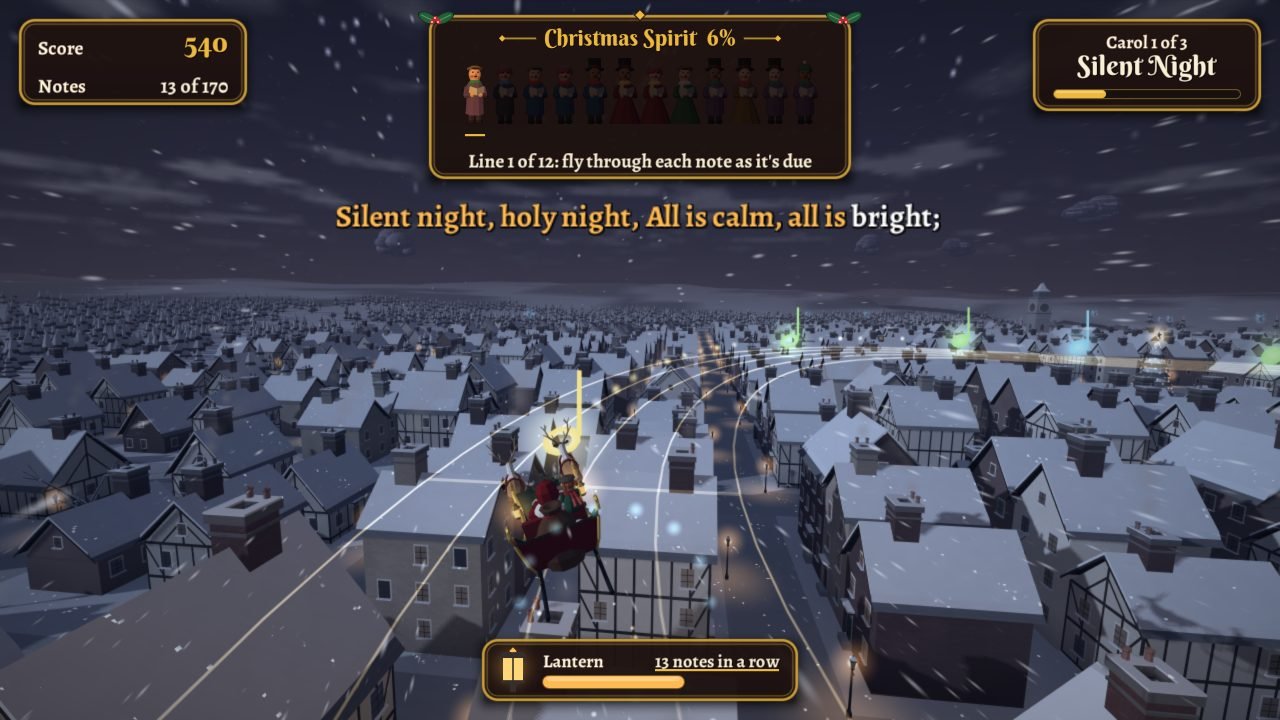
The lamps are lit, but nobody's singing. The sleigh flies along a glowing stave at the pace of the music, so it can't be hurried: steer across it to fly through each note as it comes, low notes to the left and high notes to the right. Each note you fly through is sung, and the words light up as you go.
- Sing most of a line and another caroler comes out to join in: the twelve carolers at the top are your Christmas spirit.
- Keep clear of the icy, sour notes. Imps steal notes: throw a star to knock them off.
- There are three carols. At the end, the whole town sings round the tree.
Special Delivery: Operation Chimney Run
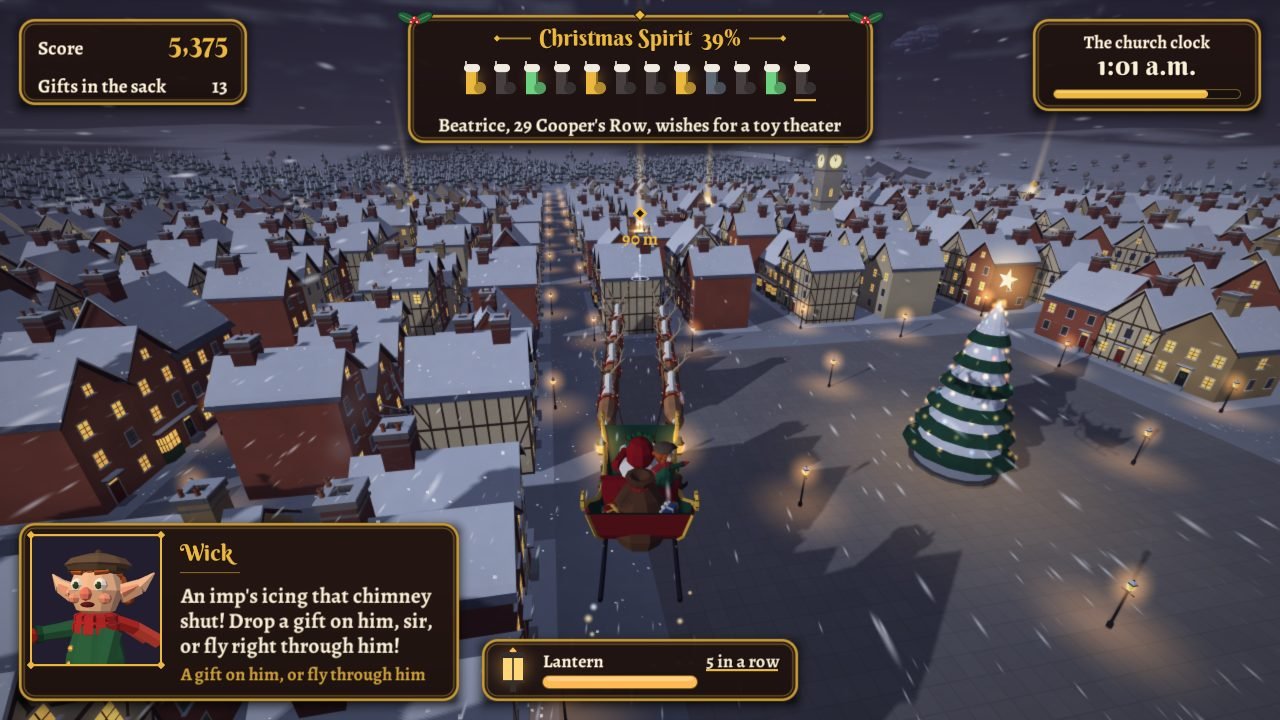
Twelve children wrote letters, and each gets a gift down the chimney before dawn. Their chimneys glow, with a shaft of gold light over each; the gold diamond marks the next one, and the line under the stockings says who lives there.
- Drop a gift with F or a left click, a little before you reach the chimney: it's tossed ahead, and the marker shows where it will fall. A throw that comes down near a waiting chimney curves into it.
- Straight down the middle is a perfect drop; in off the rim still counts. One left on the roof counts for less. Three down the chimney in a row is Merry and Bright!
- Frost imps settle on waiting chimneys and ice them shut (their stockings turn blue). Knock one off by dropping a gift on it or flying through it. A spitter throws ice for a while: steer round it.
- The sack holds a few spare gifts, so a miss isn't the end of it.
Controls
These are the keys a fresh copy uses. The flying keys can be changed in Settings › Play › Controls, and the arrow keys always fly as well. Wick's reminders name whichever keys you've chosen.
| To | Keyboard and mouse | Controller |
|---|---|---|
| Go faster / slower | W / S | Left stick up / down |
| Turn | A / D | Left stick |
| Rise (leap) | Space | RT |
| Descend (dip) | Shift | LT |
| Drop a gift, or throw a star | F or left click | A or RB |
| Look around | Right-drag | Right stick |
| Fine speed | Mouse wheel | |
| Change view | V | Y |
| Help card | H | Back |
| Pause | Esc | Start |
| Sound off and on / volume | M / - and + | |
| Full screen | F11 |
Pausing (Esc) offers Resume, Controls, Start again and Title screen.
Settings
Open Settings with O on the title screen (Y on a controller), or click settings at its foot. It has three tabs, Play, Support and About: change tab with A/D or the arrow keys (LB/RB on a controller), or click one.
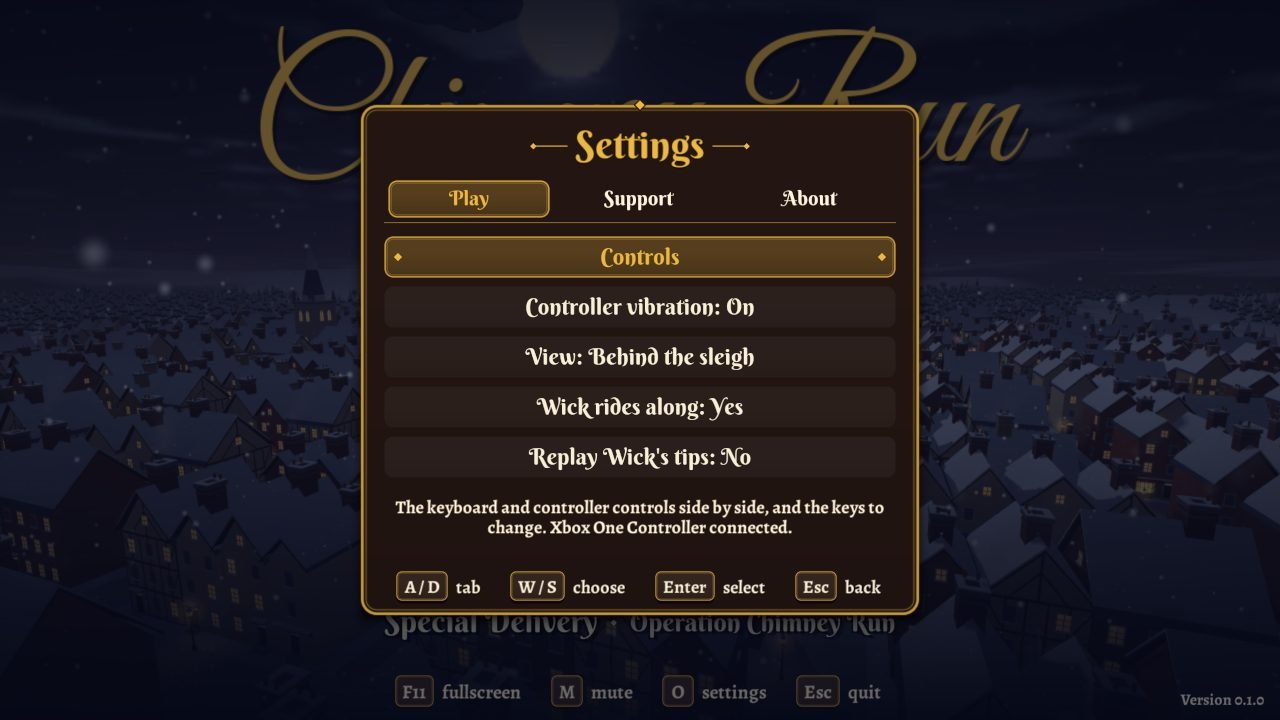
| Play | What it does |
|---|---|
| Controls | The keyboard and controller controls side by side, and whether a controller is connected. Choose an action and press a new key to change it; Reset keys to defaults puts them back. |
| Controller vibration | On A light rumble when you let a gift go, when it goes down the chimney, and when you bump something. Off for none. |
| View | Behind the sleigh Where you watch from: behind and above the sleigh, or The driver's seat. V changes it as you fly. |
| Wick rides along | Yes Wick explains things, warns you and keeps you company. No leaves him at home, and a line at the start of each chapter says what to do instead. |
| Replay Wick's tips | No Wick explains how a chapter is played the first time through. Yes has him explain it all again the next time you play each chapter (and puts him aboard if he wasn't). |
| Support | What it does |
|---|---|
| Send crash reports automatically | Off If the game runs into a problem, it can send us the error and its recent log so we can fix it. Off, it asks you first each time. What a report holds is in the privacy policy. |
| Send logs to support | Sends us your note and the game's recent log, after showing you exactly what will be sent. |
| About | What it does |
|---|---|
| License agreement | The terms for playing Chimney Run. |
| Privacy policy | Opens the privacy policy in your web browser. |
| Third-party notices | The licenses of the software and fonts Chimney Run is built with. |
Troubleshooting and questions
The game won't start, or closes by itself
Make sure Windows is up to date (Settings › Windows Update), and your graphics card's driver too. If the game closes with an error, it offers to send us a report: please do, so we can fix it. You can also send us your log at any time from Settings › Support › Send logs to support.
My controller doesn't do anything
Settings › Play › Controls says at the top whether a controller is connected. If it says none is, unplug it and plug it in again (or turn a wireless one off and on), then look again. The game reads Xbox-style controllers.
Wick talks too much
Once you've finished a chapter he stops explaining it and only chats now and then. To leave him at home altogether, set Settings › Play › Wick rides along to No.
Where are my progress and settings kept?
On your PC, in the game's own app data folder, which Windows keeps for it: your best score, stars and Christmas spirit for each chapter, your settings, and a log of what the game has been doing. Nothing is sent anywhere unless you send a crash report or your logs. Uninstalling the game removes them.
How do I start over?
Any chapter can be played again from the title screen, or restarted with Esc › Start again. To clear your progress altogether, uninstall the game and install it again from the Store.
How do I uninstall it?
In Windows, open Settings › Apps › Installed apps, find Chimney Run, and choose Uninstall.
How do I send you my logs?
On the title screen, press O for Settings, go to the Support tab and choose Send logs to support. Add a note about what happened; the game shows you exactly what will be sent before it goes.
Still stuck? Get in touch through our contact page.